


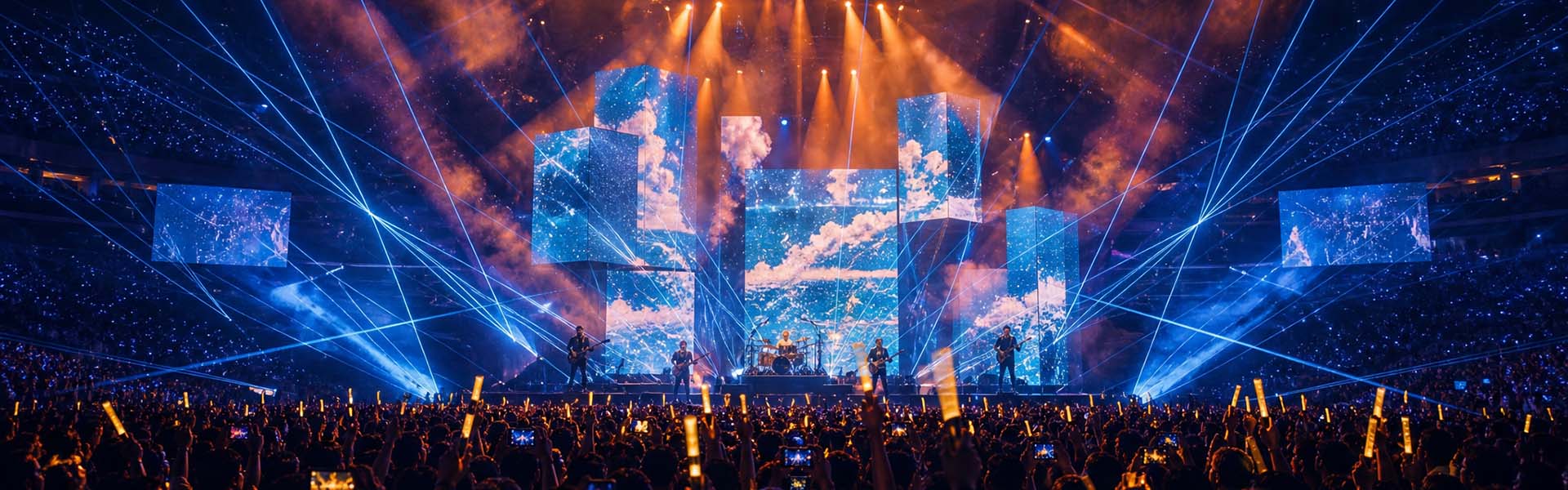


Pixel pitch is the single most important spec to get right when buying an LED display — and the one most buyers get wrong. Pick a pitch that‘s too coarse and your text looks blurry up close; pick one that‘s too fine and you‘re paying for resolution nobody will ever see.
In this guide you‘ll learn what pixel pitch actually means, how it controls viewing distance and cost, and exactly which pitch fits your use case — indoor, outdoor, rental or fixed installation.
What Is LED Pixel Pitch?
Pixel pitch (measured in millimeters, e.g. P2.5 or P4) is the distance between the center of one LED pixel and the center of the next. A smaller number means a higher pixel density — tighter dots, sharper image, but a higher price. A larger number means fewer LEDs per square meter, a coarser image, and a lower price.
| Pixel Pitch | Best For | Typical Viewing Distance |
|---|---|---|
| P1.2 – P1.8 | Indoor fine-pitch: control rooms, broadcast, high-end retail | 1.5 – 3 m |
| P2 – P2.5 | Indoor commercial: lobbies, conference rooms, retail stores | 2 – 5 m |
| P3 – P4 | Indoor large format & semi-outdoor (shop windows) | 3 – 8 m |
| P5 – P6 | Outdoor billboards, stadium perimeter, rental stages | 5 – 15 m |
| P8 – P10 | Large outdoor billboards viewed from a distance | 10 m+ |
How Pixel Pitch Controls Viewing Distance
A simple rule of thumb: minimum comfortable viewing distance (in meters) ≈ pixel pitch (in mm). So a P4 display is best viewed from at least 4 meters away. Watch it closer than that and you‘ll start to see the individual pixels as a grid.
For critical content like text and fine graphics, add a safety margin and step up to a finer pitch than the bare minimum.
Indoor vs Outdoor: What Else Changes
- Brightness (nits): Indoor displays typically run 600–1,500 nits. Outdoor screens need 4,500–7,000+ nits to stay readable in direct sunlight.
- IP rating: Outdoor LED needs weatherproofing — at least IP65 on the front (dust-tight, rain-proof). Look for rear-service access for easy maintenance.
- Refresh rate & gray scale: A refresh rate of 1,920 Hz or higher avoids flicker on camera — essential if the screen will be filmed or used on stage.
- Cabinet build: Die-cast aluminum cabinets are lighter, flatter and faster to install than iron, and they dissipate heat better.
How to Choose: A 4-Step Checklist
- Define viewing distance. Measure how far your audience will stand, then apply the "pitch = distance" rule.
- Decide indoor or outdoor, which sets your brightness and IP-rating requirements.
- Match content type. Fine text and video → finer pitch. Large logos and simple graphics → a coarser (cheaper) pitch is fine.
- Think about the total cost of ownership. Factor in power consumption, front-vs-rear maintenance, and the quality of the control system — not just the upfront panel price.
Frequently Asked Questions
Q: Is a smaller pixel pitch always better?
No. Finer pitch costs more and only pays off if viewers are close enough to see the difference. Buying P1.5 for a billboard viewed from 20 meters away is wasted money.
Q: What pixel pitch should I use for a rental stage background?
For concerts and events, P3.9 or P4.8 is the industry workhorse — bright, lightweight and cost-effective, with a refresh rate of 1,920 Hz+ for camera-friendly video.
Q: Can I use an indoor LED display outdoors?
No. Indoor panels aren‘t weather-sealed or bright enough for sunlight. Always use outdoor-rated (IP65) panels for exterior installations.
Get a Free Recommendation for Your Project
Not sure which pixel pitch fits your project? Tell us your viewing distance, installation environment and content type — we‘ll recommend the right panel and send you a detailed quote within 24 hours.
 HD COLOR
 86-15889379986
 HD color